

Your ambition.
A clearer path.
From a first funding search to a strategic briefing, connect the opportunities, priorities, and signals that matter to your work.
For organizations, advisors, and teams shaping what comes next.
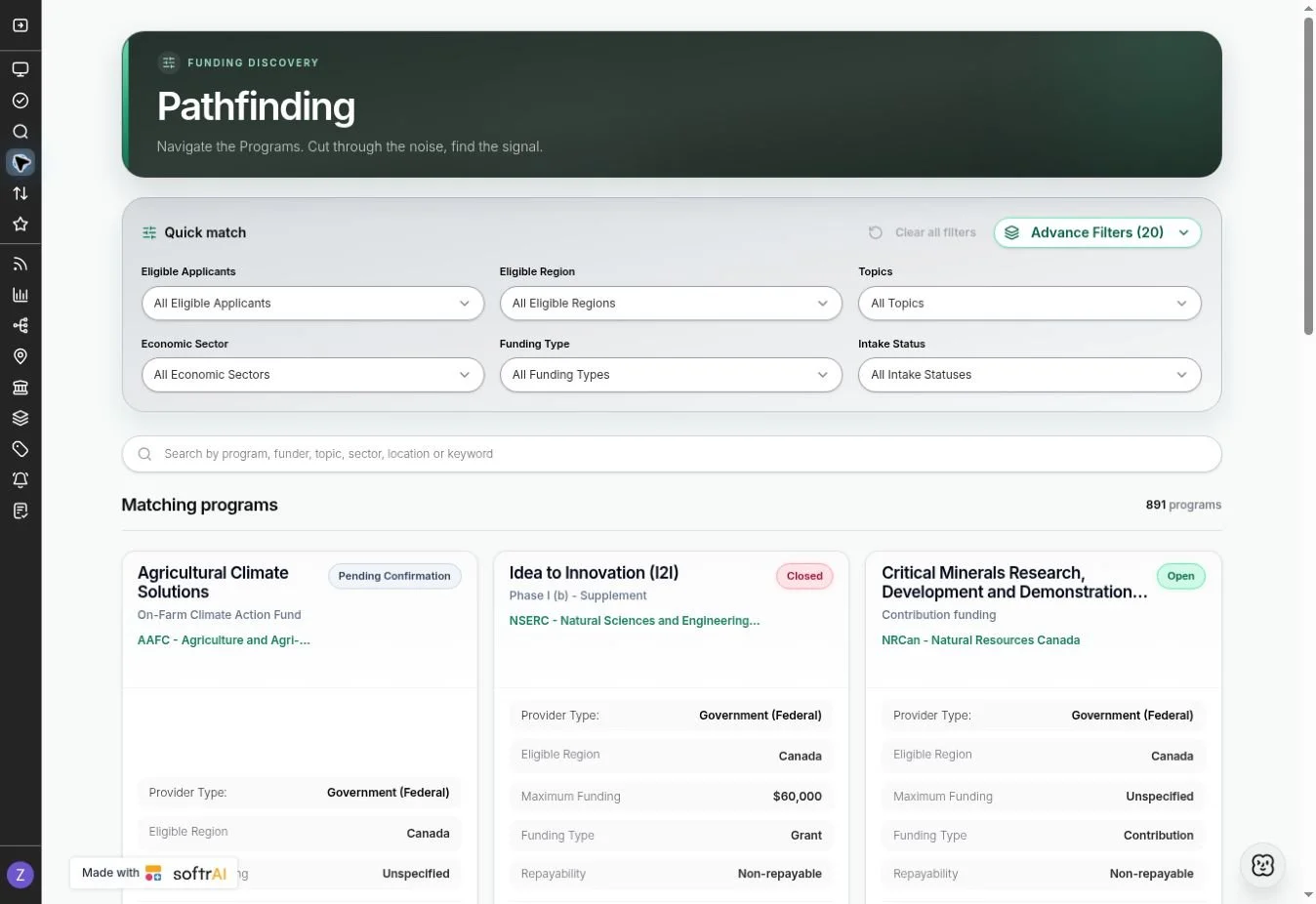
Turn a promising idea
into a focused funding search.
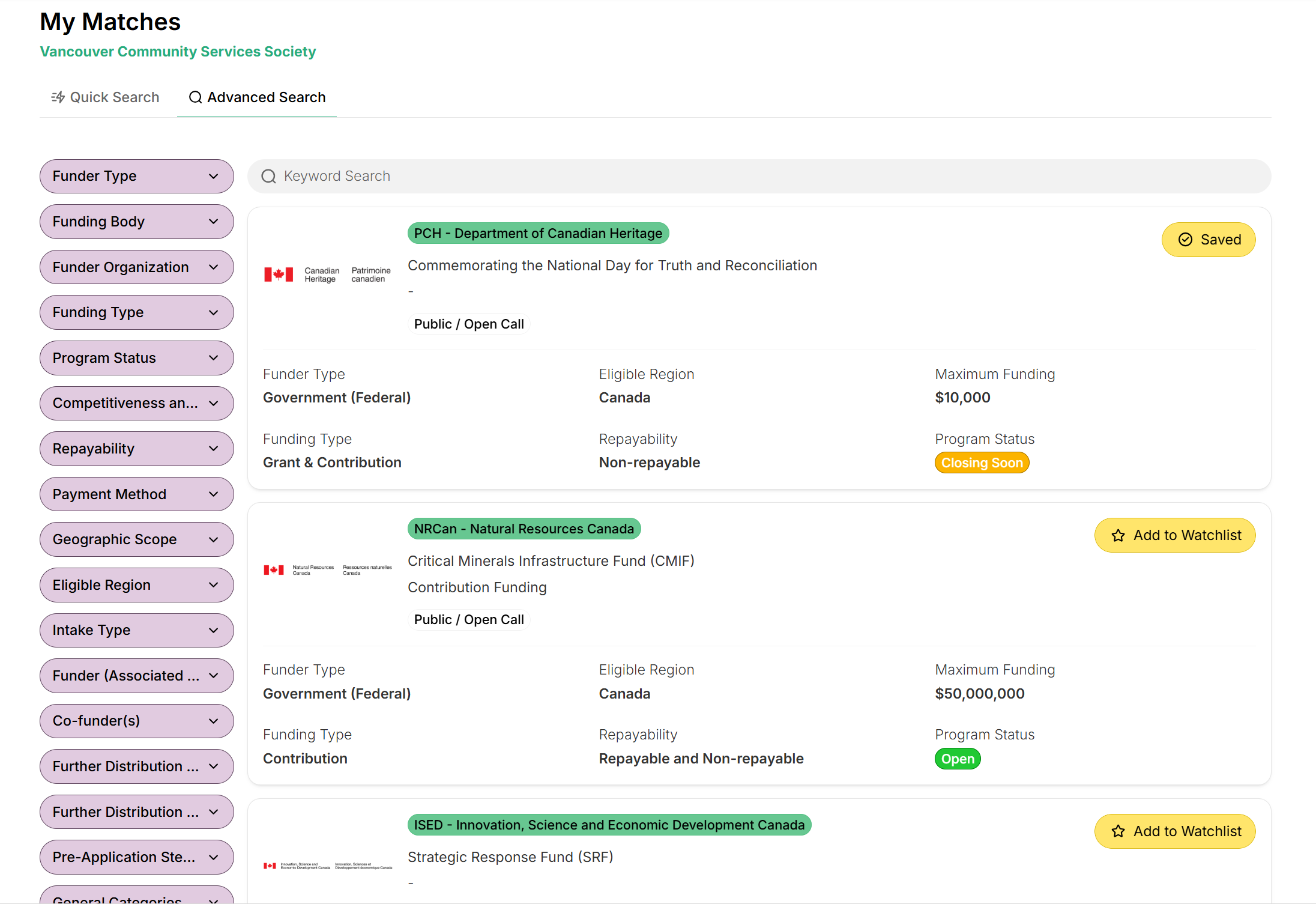
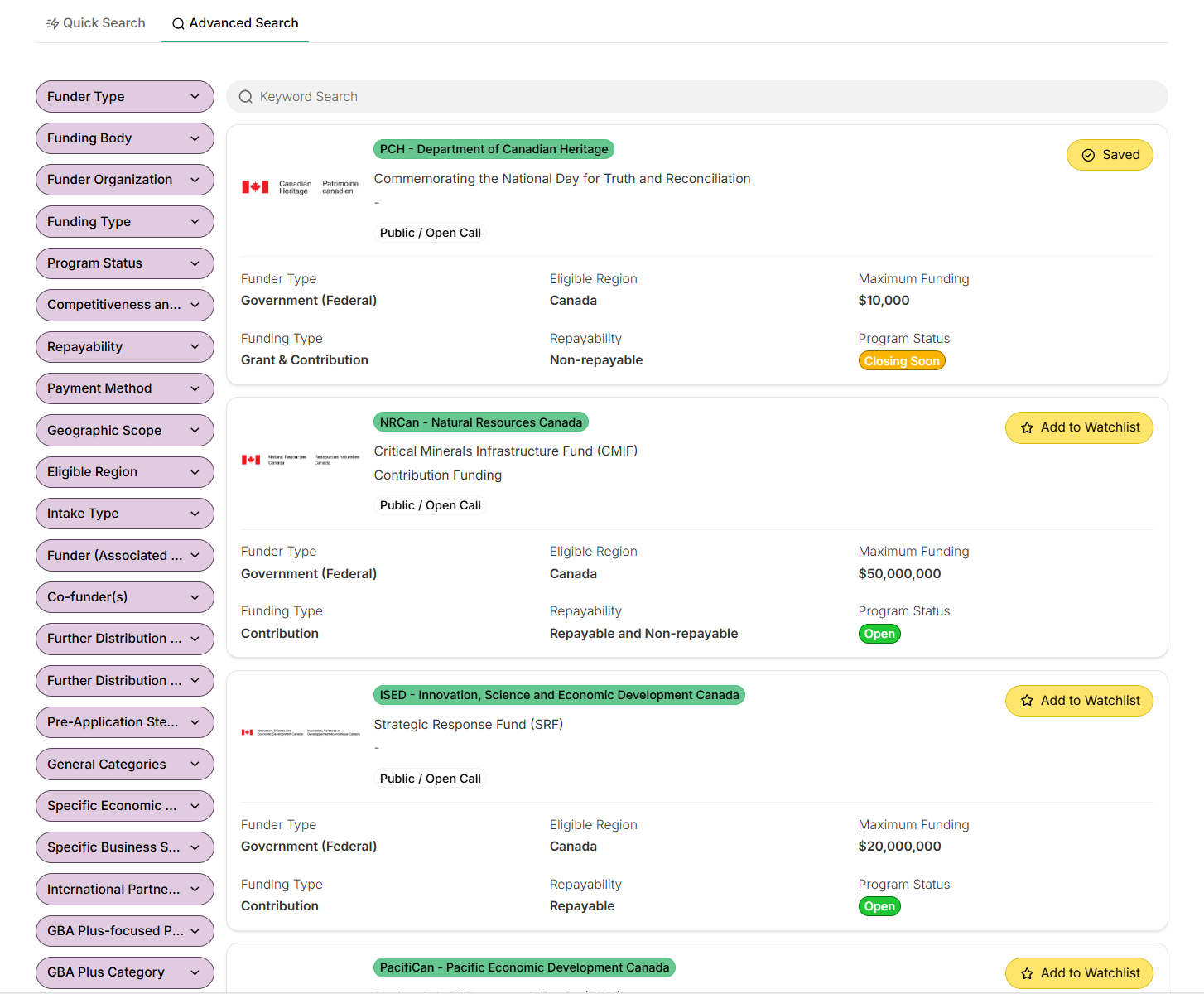
Start with your organization and project. Find relevant programs, understand the requirements, and decide where to invest your effort.
Businesses
Find opportunities that support R&D, commercialization, productivity, and expansion.
You are planning a new product or expanding operations and need to identify realistic funding routes.
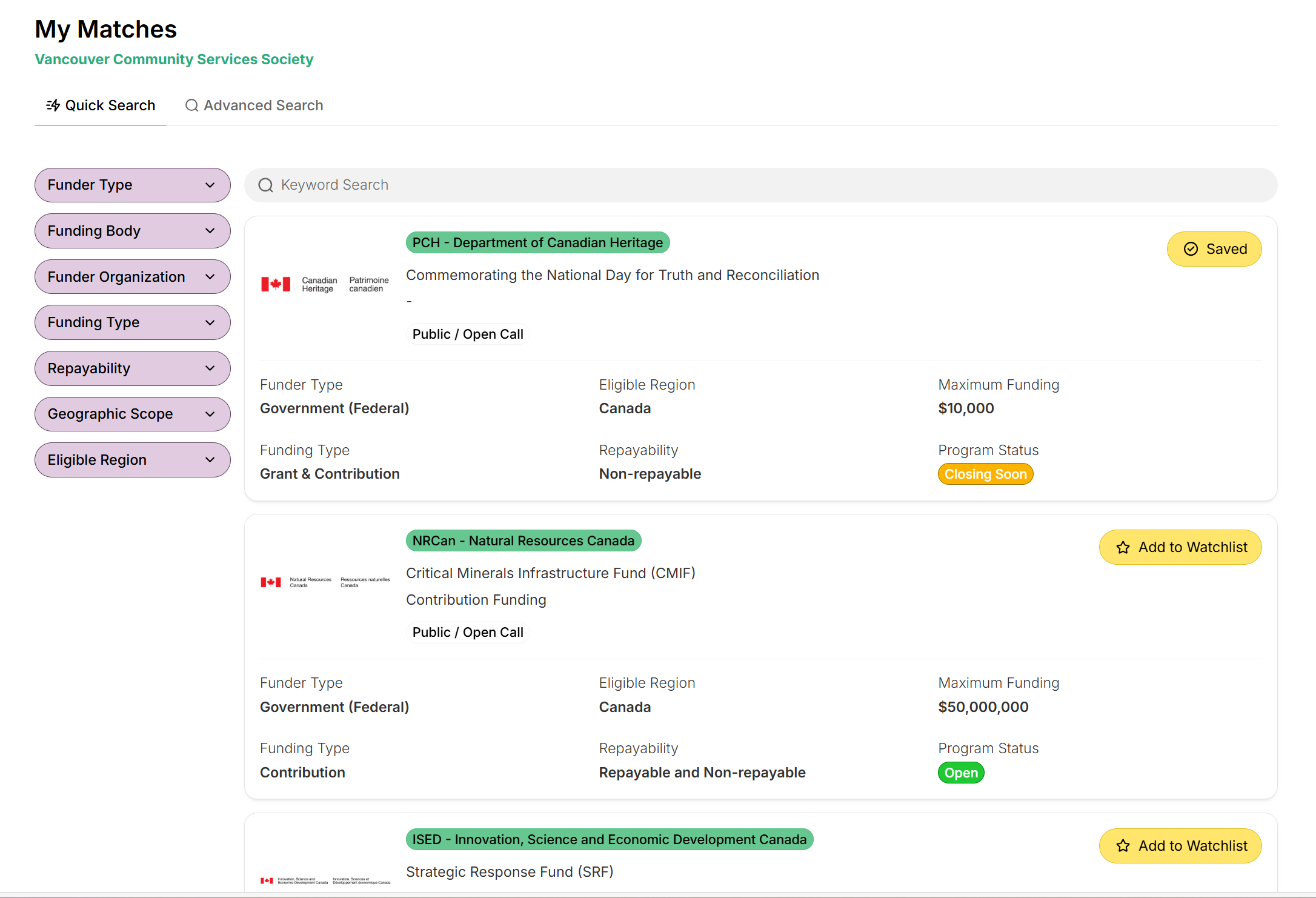
- Define the project. Filter by business stage, sector, region, and applicant eligibility.
- Check the terms. Review eligible activities, funding limits, repayability, and intake status.
- Prioritize your effort. Compare promising programs and track the next deadline.
Nonprofits & foundations
Connect your mission and community priorities to relevant funding opportunities.
Your organization wants to expand a community initiative and needs support aligned with its mandate.
- Start with your mandate. Search by eligible applicant type, topic, and location.
- Understand the fit. Check funder priorities and eligible project activities.
- Keep options in view. Save relevant opportunities and follow their intake windows.
Universities & research institutes
Build a clearer view of support for research, innovation, and collaboration.
A research team is exploring funding for an applied project with external partners.
- Map the opportunity. Filter for research activities, applicant eligibility, and sector.
- Examine the conditions. Review partnership requirements, project costs, and timelines.
- Connect the context. Explore linked funders, topics, and strategic priorities.
Public sector & municipalities
Explore funding for infrastructure, climate, economic development, and public initiatives.
Your municipality is assessing support for a regional infrastructure or climate project.
- Ground the search. Use location and eligibility filters to find relevant programs.
- Assess alignment. Connect the project to policy direction and funder priorities.
- Prepare a shortlist. Compare terms and deadlines before committing staff time.
A shortlist shaped around your organization.
Use matching and structured program intelligence to focus your research. Then verify the conditions that matter to your project before moving forward.
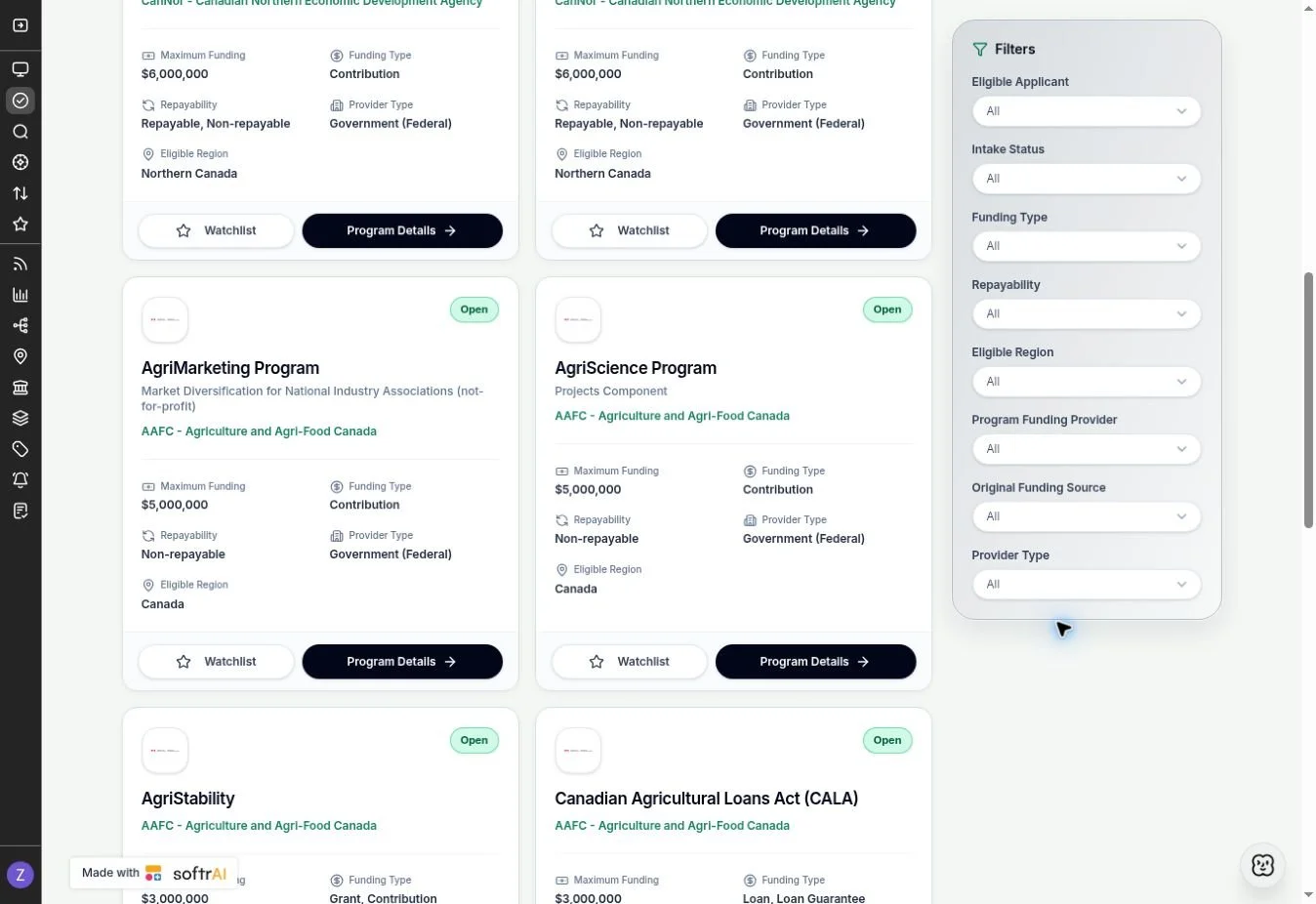
Make the research clearer.
Make the next step stronger.
Bring eligibility, funding terms, and strategic context into one research workflow—whether you advise clients or work independently.
Consulting firms & professional services
Bring more structure and context to funding research, client advice, and shortlists.
A client asks which programs deserve attention before investing in an application.
- Shape the research. Use structured filters for the client’s project, sector, and region.
- Build the rationale. Review eligibility, feasibility signals, and program conditions.
- Make the comparison. Assess shortlisted options side by side with official sources close at hand.
Individuals & sole proprietorships
Find the right starting point for entrepreneurship, self-employment, or research support.
You have a project idea and want to understand whether relevant programs accept your applicant type.
- Confirm eligibility first. Check whether individuals or sole proprietors can apply.
- Narrow the options. Filter by location, topic, business stage, and funding type.
- Plan the next step. Review application requirements and save suitable opportunities.
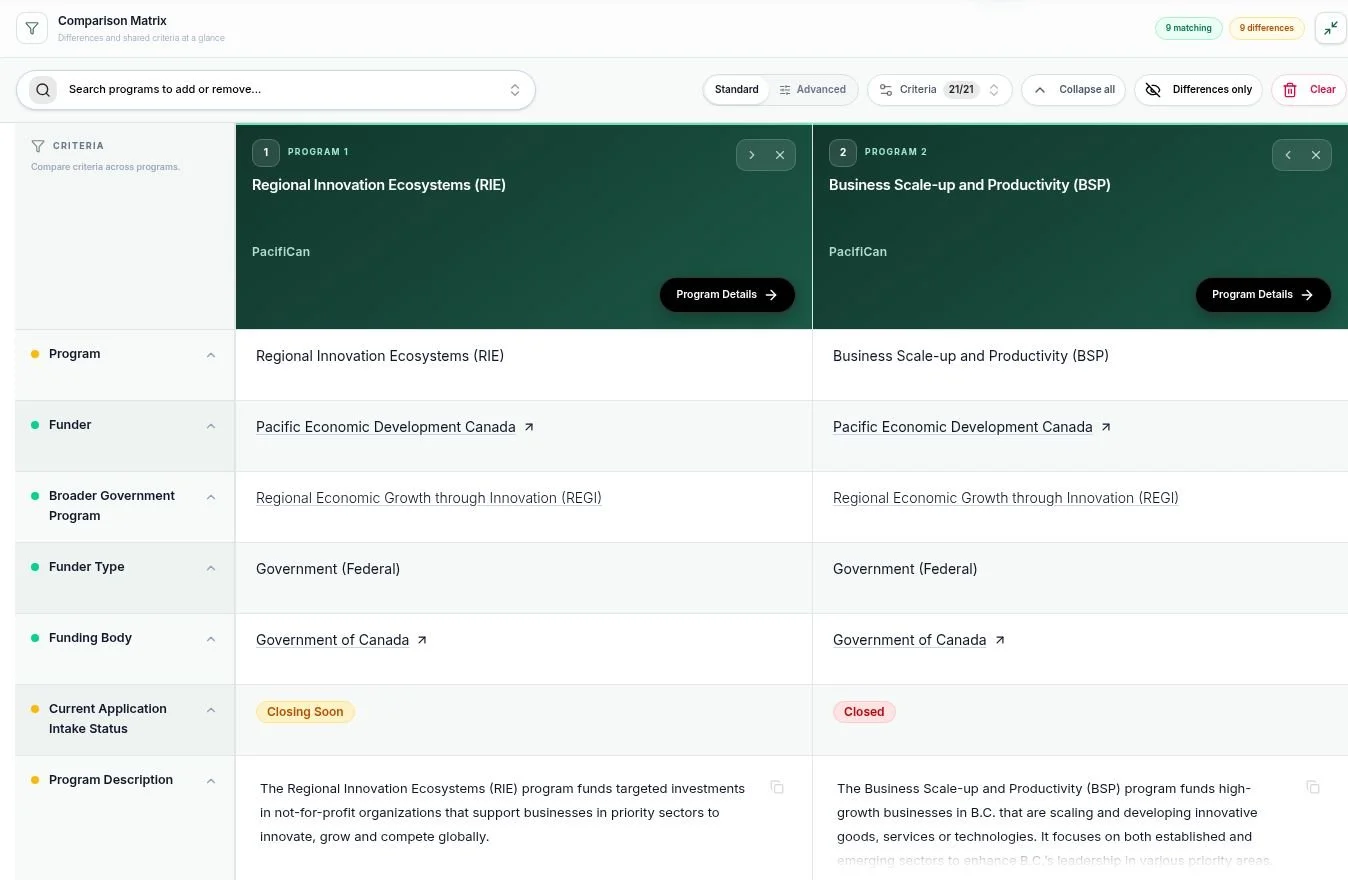
See the trade-offs before you commit.
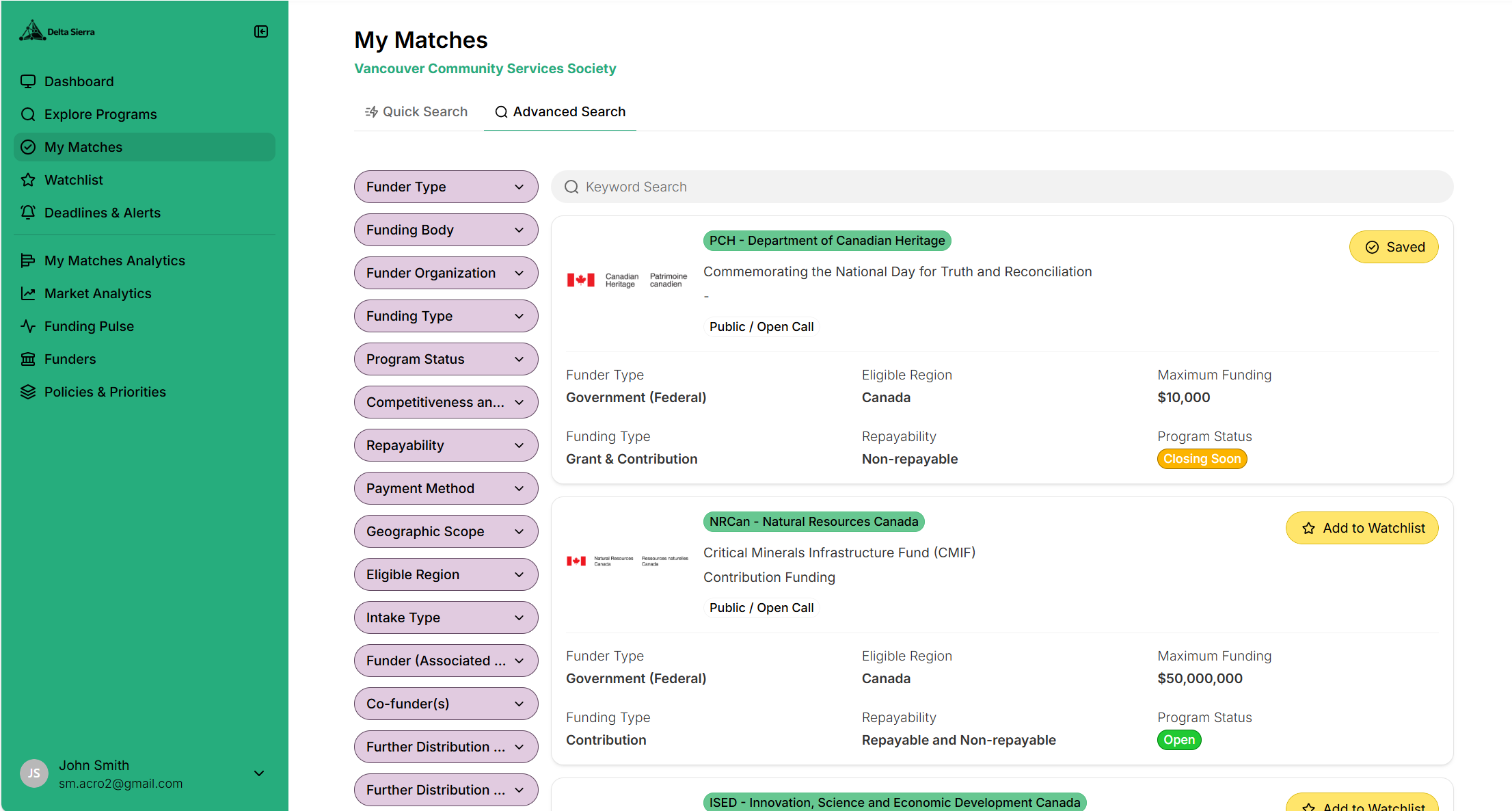
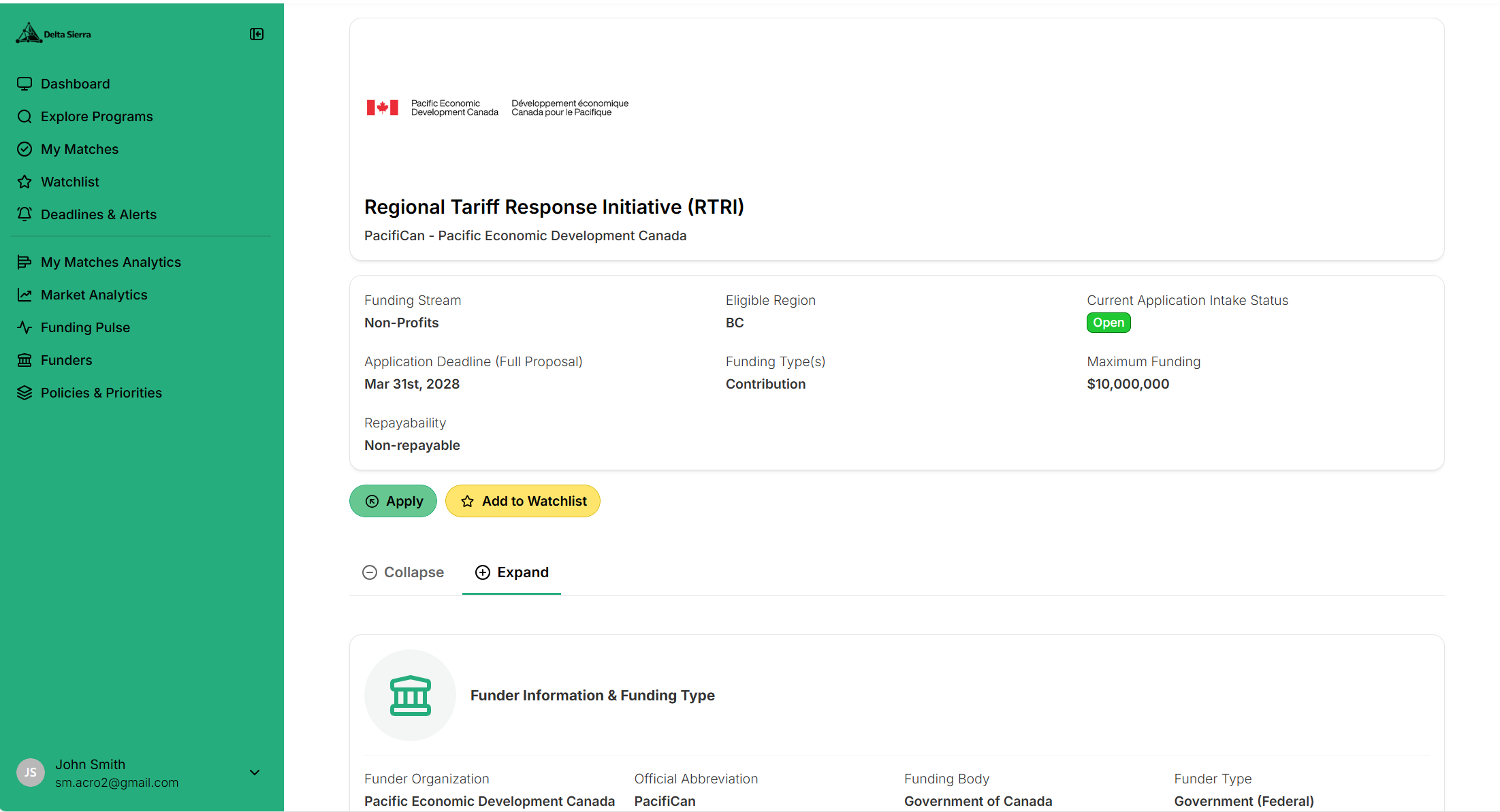
Compare funding amounts, eligible activities, conditions, and timelines in a consistent view. Build a clearer rationale for the opportunities you choose to pursue.
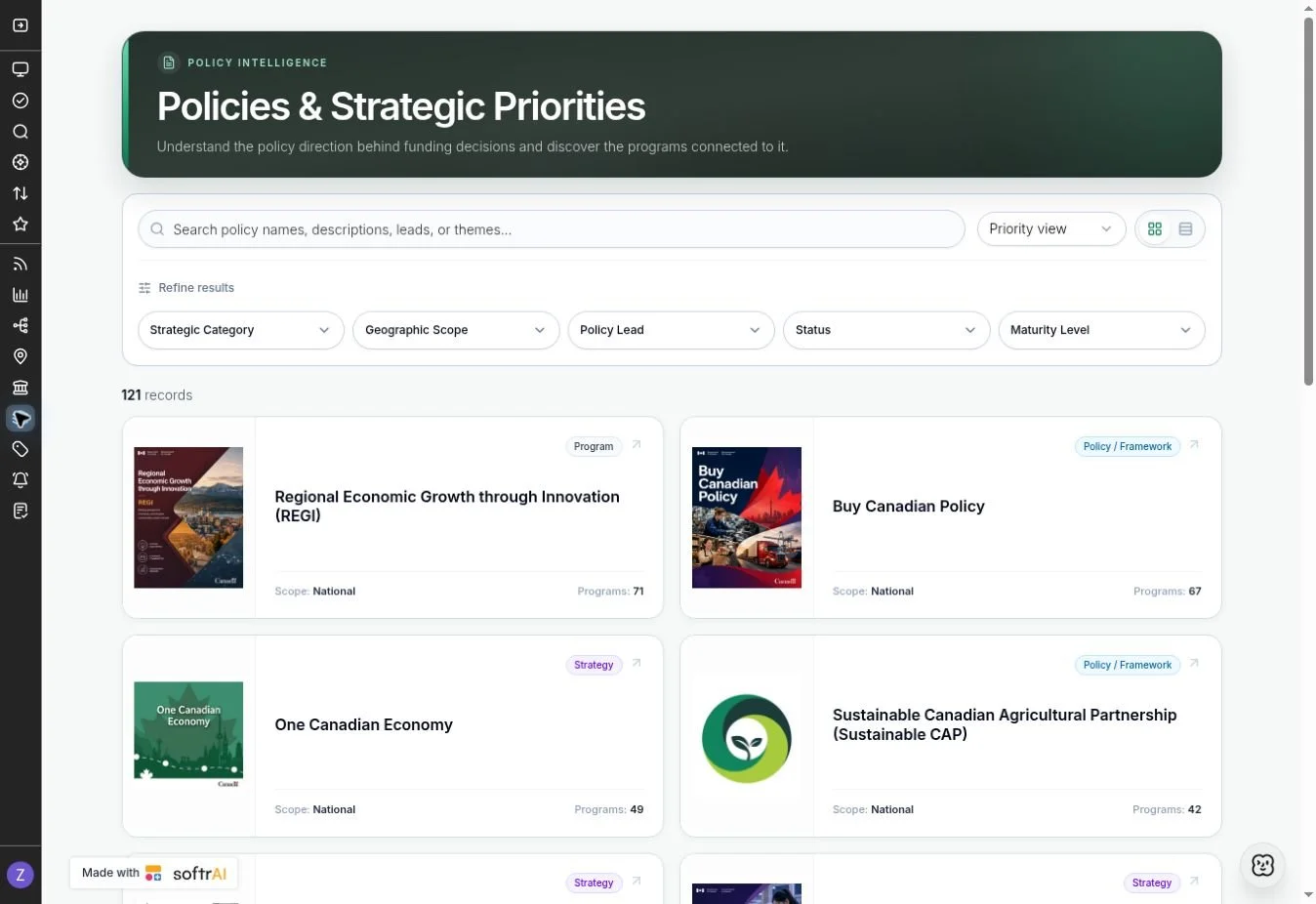
Read the signals.
See the connections.
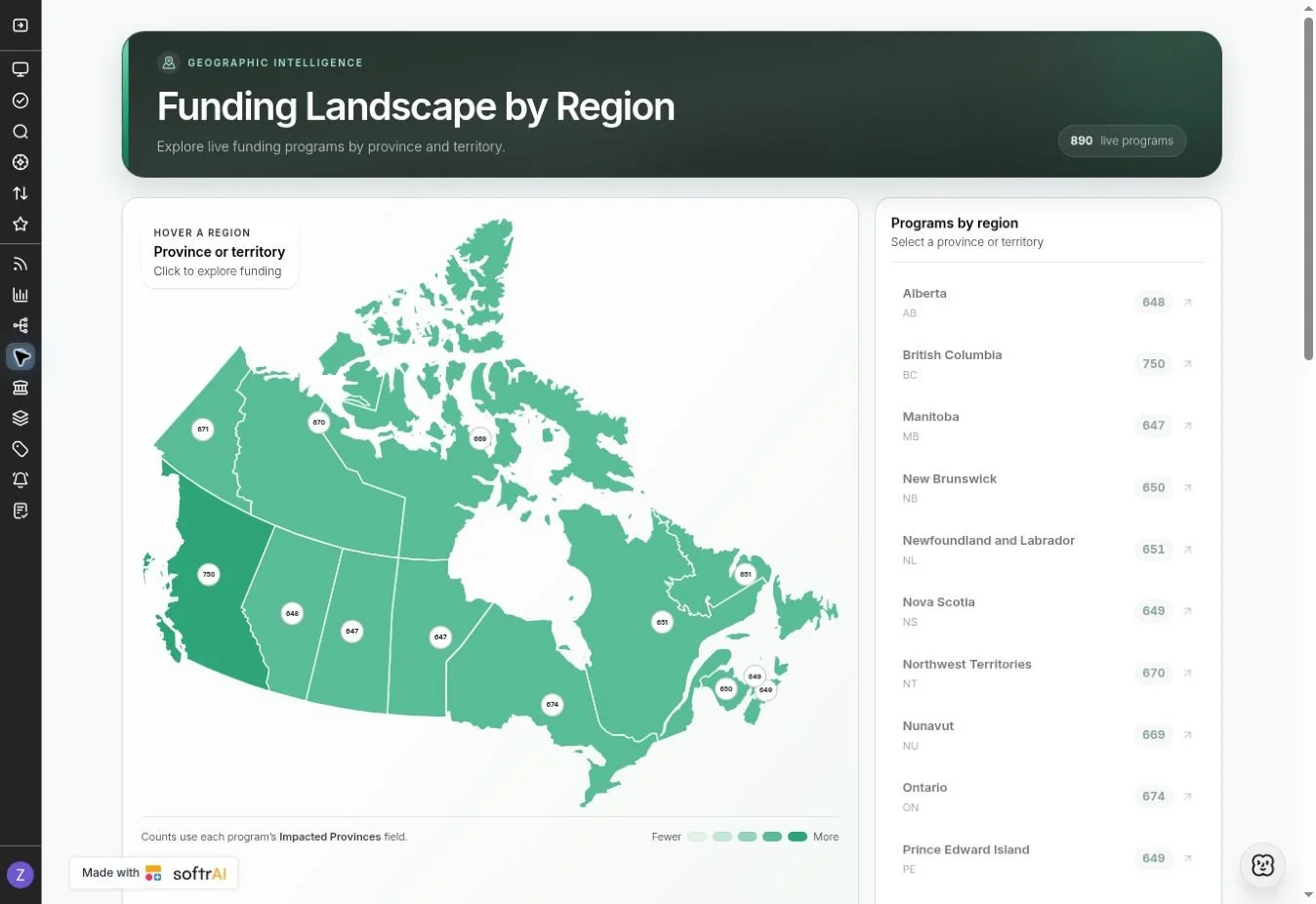
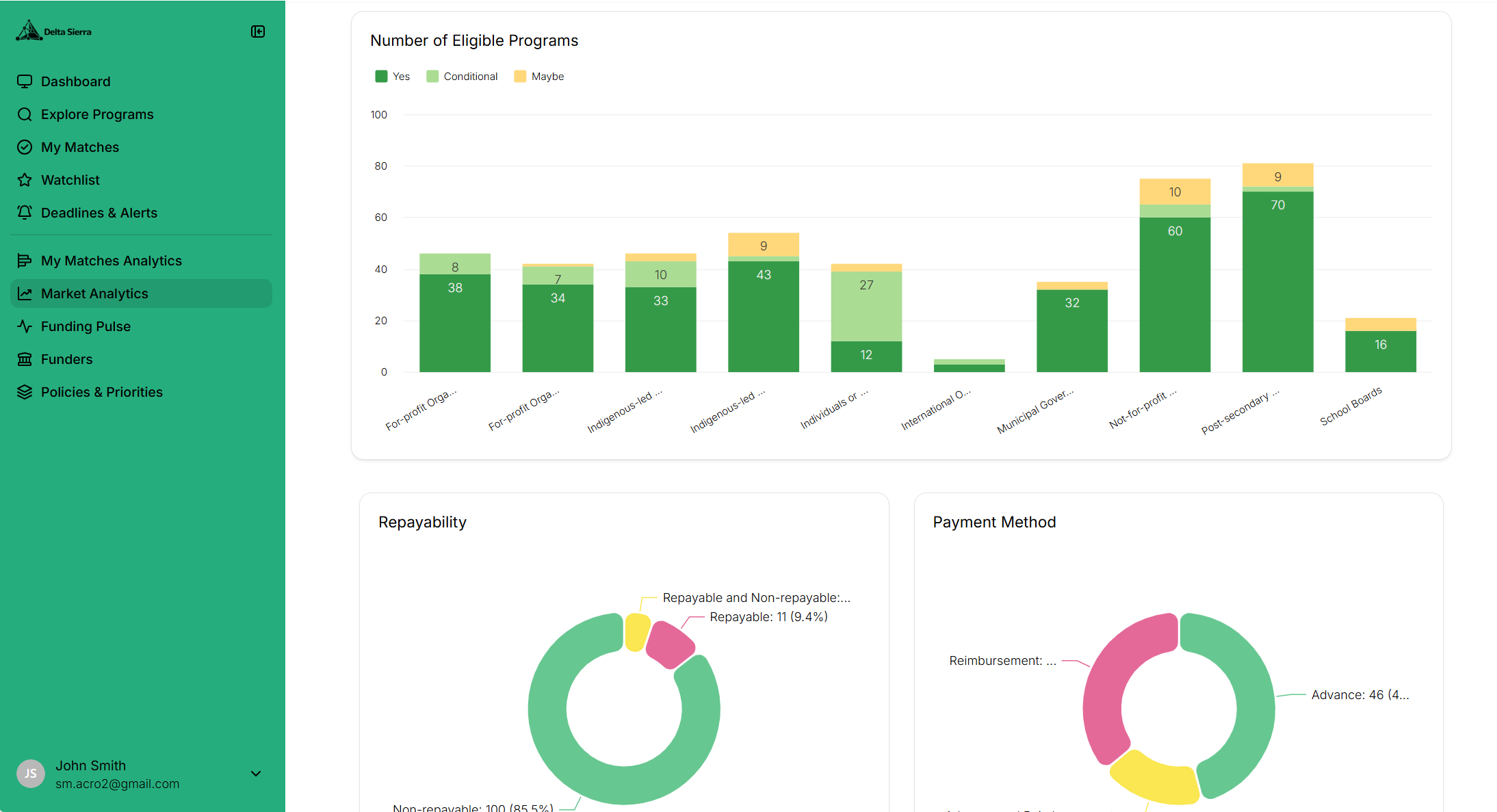
Go beyond the individual program. Explore the policy direction, funders, places, and sector developments behind funding decisions.
Government & policy teams
Connect funding programs to the policies, organizations, and signals shaping the landscape.
Your team is examining how a strategic priority connects to funding activity across regions or sectors.
- Start with the priority. Explore policies and the programs connected to them.
- Trace the landscape. Review funders, funding bodies, and regional profiles.
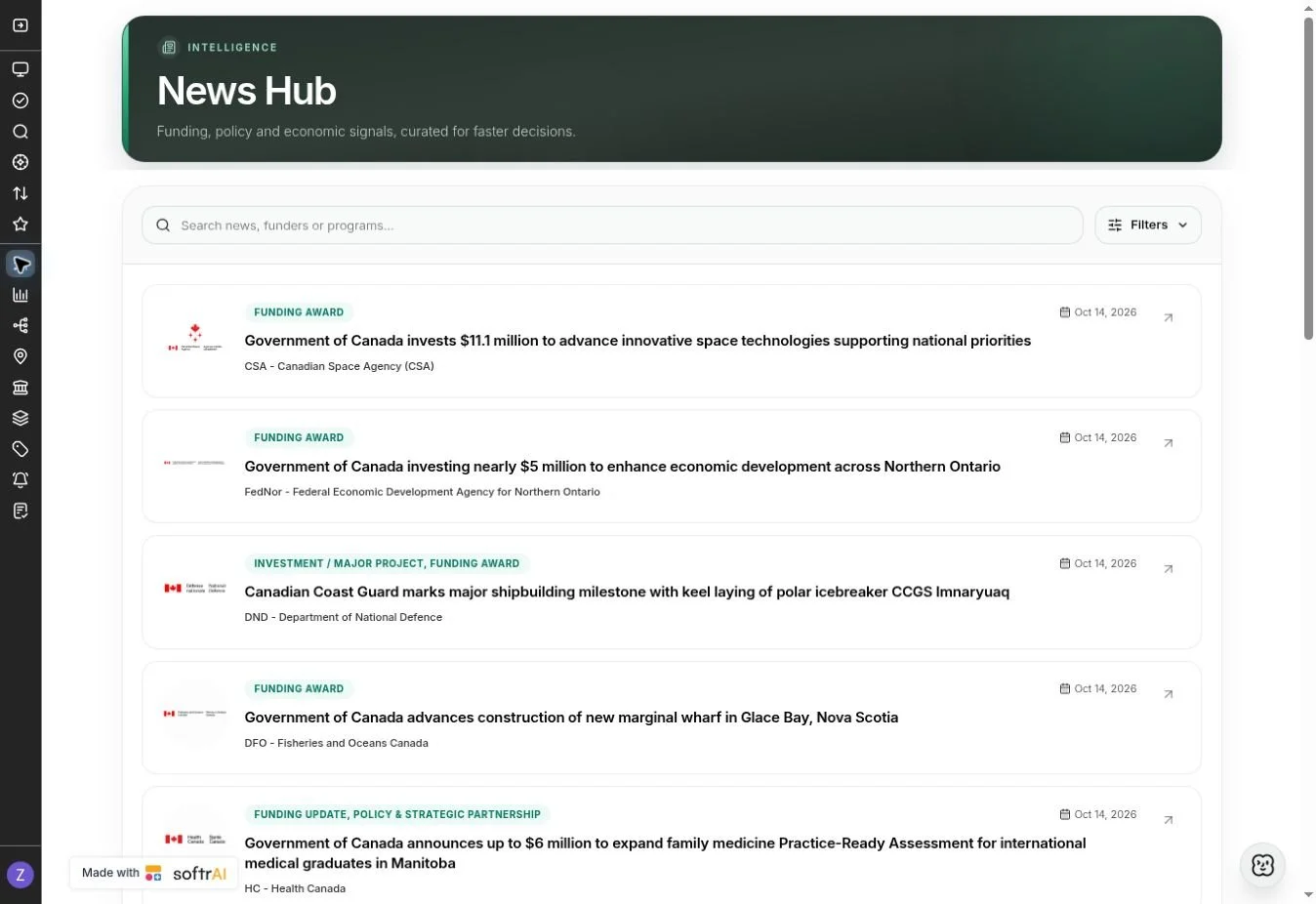
- Follow the signals. Use news and market views to inform your research and briefings.
Industry associations
Develop a clearer view of funding and policy developments relevant to your members.
Your association wants to identify sector-relevant opportunities and prepare a useful member briefing.
- Focus on the sector. Explore topics, eligible activities, and geographic coverage.
- Add the context. Connect opportunities with funder priorities and policy direction.
- Keep the picture current. Monitor news and intake changes for future briefings.
Different goals. A stronger funding process.
Find what is relevant.
Start with your applicant type, project, sector, and location. Use focused search and matching to narrow the field.
Understand the fit.
Check eligibility, funding terms, and strategic alignment. Compare options before committing time and resources.
Keep the next step in view.
Save opportunities, track intake windows, and follow the developments that could change your priorities.
Workspace features and depth of intelligence vary by plan and seat. Program eligibility and funding decisions remain with the funding provider.
Bring your goals.
We’ll show you the workflow.
Tell us about your organization and the decisions you need to make. See how Delta Sierra can support your funding research.
Services we offer
Discover unparalleled access to government grants through our sophisticated platform designed for discerning individuals and organizations. Elevate your projects with the finest financial aids tailored to foster innovation and excellence in today's competitive landscape.



Contact us
Interested in working together? Fill out some info and we will be in touch shortly. We can’t wait to hear from you!